

The most common reason a home blood pressure reading is off has nothing to do with the monitor. It is the cuff. If the cuff is the wrong size, wrapped too loose, or sitting in the wrong spot, the monitor will faithfully report a number you cannot trust. I learned this the slow way, watching my husband Walt try to wrap the cuff that came with our Omron monitor one-handed every morning. He is a big man, 15.5 inches around the upper arm, and the standard cuff fit him fine. The problem was never the size. It was the fiddly wrapping, and the readings that wobbled because of it.
This guide is the thing I wish someone had handed me when we started. It takes about two minutes, you only need a cloth measuring tape, and the whole point is to compare one number, the circumference of your upper arm, to the size range printed on the cuff. If your arm falls inside that range, the cuff fits. That is the entire test. Everything else, the easy-wrap shape of the ComFit, the extra padding, the brand name, is about how easily the cuff goes on and how consistently it stays put. Before we bought the ComFit, Walt spent a few frustrating weeks with a generic one-size universal cuff that slipped and gave him readings all over the place. That is the story behind this guide. I am not a doctor or a nurse. I am a person who takes her blood pressure twice a day and brings the log to her doctor.
Already measured? The Omron ComFit fits arms from 9 to 17 inches.
If your upper arm measures anywhere in that range, this is the cuff that fixed our morning routine. Walt can wrap it correctly with one hand, and we each have our own cuff now. Check today's price on Amazon.
Amazon Check Today's Price on Amazon →Step 1: Measure at the right spot
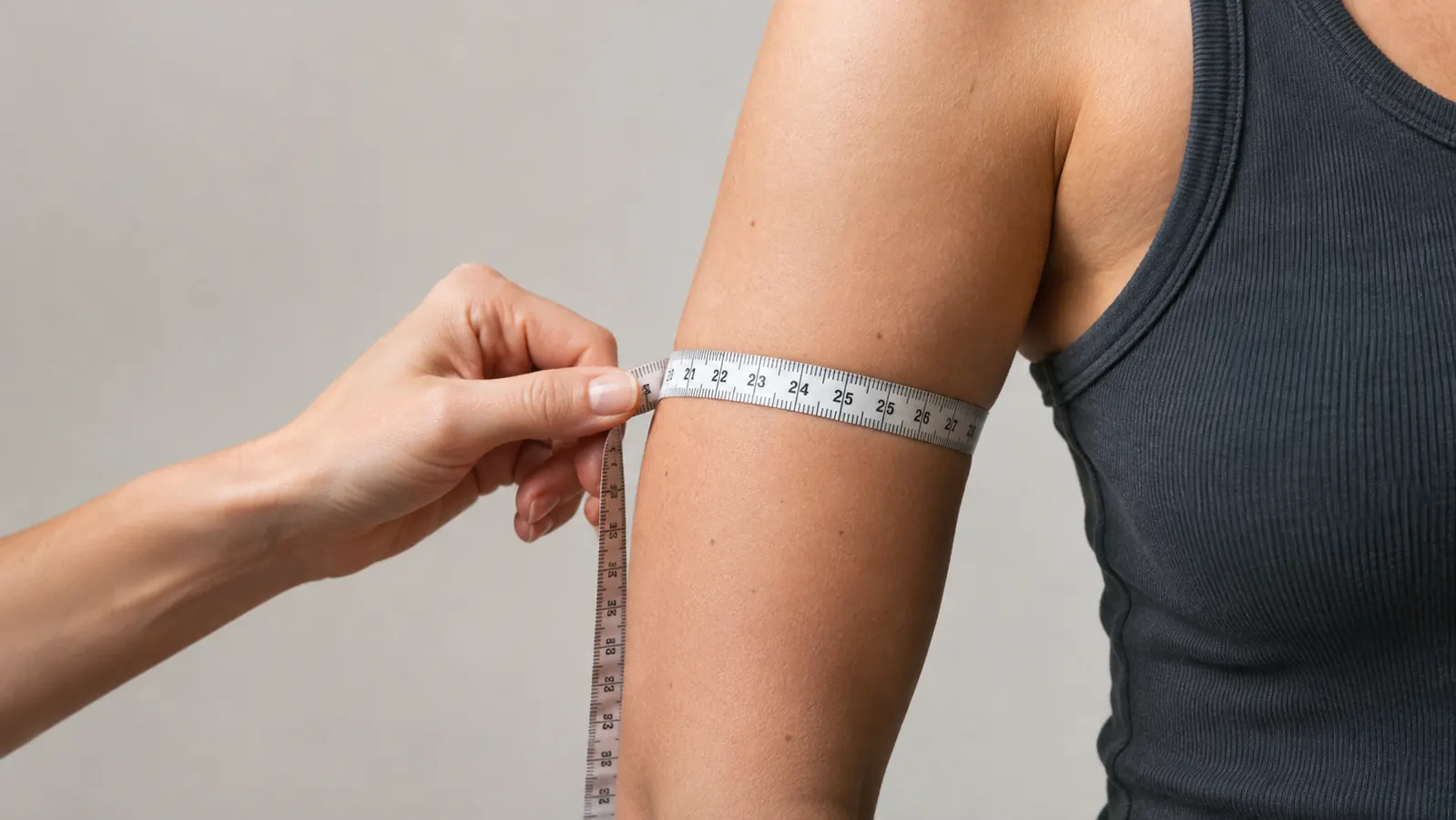
The number you want is the circumference of your upper arm, measured at the widest part. For most people that is roughly halfway between the shoulder and the elbow, or an inch or two above the crease of the elbow. The exact spot matters less than being consistent, because you are comparing your arm to a range, not to a perfect measurement. Stand in front of a mirror if it helps you see the tape, and take the measurement on bare skin, not over a sleeve.
Let your arm hang relaxed at your side. Do not flex. Do not hold your arm up. Wrap the cloth tape around the arm so it is snug but not digging in, and read the number where the tape overlaps. Write it down. If you measure twice and get two different numbers, use the larger one.
For the record, my arm measures about 11 inches. Walt's measures 15.5 inches. Both of us are comfortably inside the 9 to 17 inch range on the Omron ComFit cuff, and both of us were inside the same range on the cuff that came with our monitor. The measurement told us something useful: the fit problem was never the size.
Step 2: Compare your number to the cuff's range
Every cuff has its size range printed on it, usually right on the fabric. The Omron ComFit is marked for upper arms from 9 to 17 inches. The cuff that came with our Omron Bronze monitor is also marked 9 to 17 inches. If your measurement falls inside the printed range, the cuff is the right size for your arm. If it falls outside, you need a different cuff, and that is a conversation worth having with your doctor or with the monitor maker's sizing chart. The printed range is the contract between the cuff and your arm. Trust it over your eyes.
What if you land right at the edge of a range? Say your arm measures 17 inches and the cuff says up to 17. My rule of thumb is to look for a cuff with a little more room, because a cuff that is right at its limit has to be pulled tight to fit, and a tight cuff can skew a reading. This is exactly the kind of thing to mention to your doctor, who can tell you whether the cuff fit is affecting your numbers.
The important lesson from our house: a bigger arm does not automatically need a bigger cuff. Walt's arm is 4.5 inches larger than mine, and we use the same size cuff. The range printed on the cuff is the only thing that matters.
Step 3: Check the width while you are at it
Circumference is the number that decides which cuff size you buy, but width is the number that decides whether the reading is comfortable and consistent. The general guidance in monitor manuals is that the cuff should cover most of the distance around your upper arm. If the cuff is too narrow, it can feel like a rubber band digging in. If it is too wide, it can bunch up behind your arm and slide. A cuff that fits in length but not in width will be miserable to wear twice a day.
I do not have the bladder width of the ComFit memorized, and honestly you do not need it for this decision. What I can tell you is how it feels on two very different arms. On Walt's 15.5 inch arm the cuff wraps around with fabric to spare and sits flat against the skin without pinching. On my 11 inch arm it wraps a little further but still lies flat. The easy-wrap shape is what makes the difference for us, not the width.
A good test: wrap the cuff on your bare upper arm and try to slide one fingertip under the edge. If the fingertip slides in easily, the cuff is snug enough. If you cannot get a fingertip under the edge at all, it is too tight. If the cuff slides around on its own, it is too loose. The ComFit passes that test for both of us, which is more than I can say for the generic universal cuff Walt tried for a few weeks before we bought the ComFit. Reading the instruction manual that comes with a new cuff is worth the two minutes, even if you have used a cuff before.
Step 4: Do a test wrap before you trust it
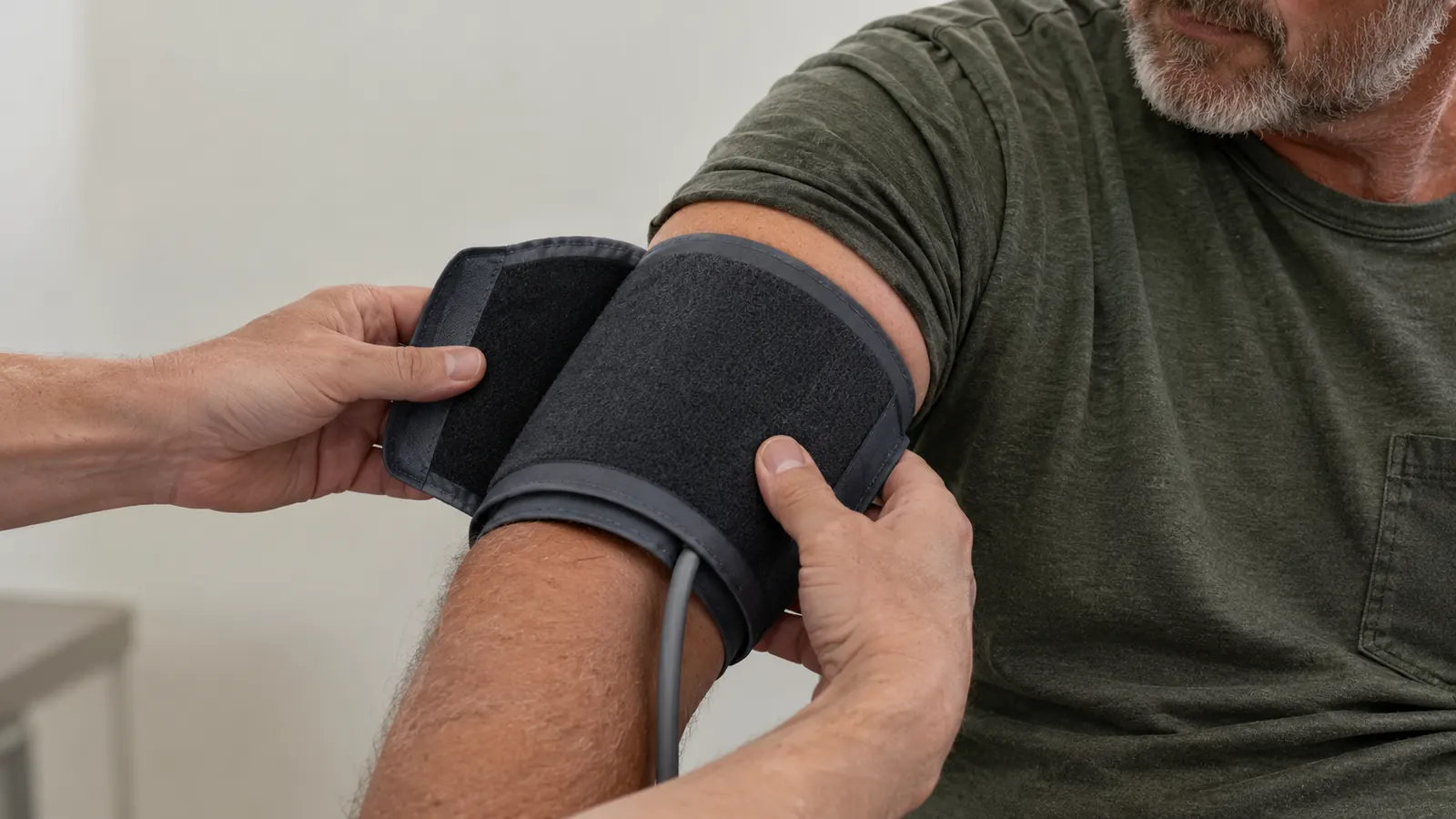
Once you know the size is right, put the cuff on the way you will wear it every day. Sit at a table with your feet flat and your arm resting on the table at heart level. Wrap the cuff around your bare upper arm so the air plug sits roughly in the middle of the inside of your arm, with the tube running up toward your shoulder. The cuff should be snug enough to stay put and loose enough to be comfortable. The table matters. A counter that is too high will pull your shoulder up, and a lap that is too low will do the opposite. Our kitchen table works because it is the right height for both of us.
This is where the ComFit earns its name in our house. The original cuff that came with the Bronze is a perfectly good cuff, and it fits Walt's arm. But Walt found it fiddly to wrap one-handed. He would pull it too loose, or it would creep down toward his elbow, and then the monitor would give him a reading that did not match the one he got the day before. The ComFit's pre-formed easy-wrap shape goes on right more consistently, and it stays where he puts it. Two minutes of care at the start of the reading beats a week of numbers you have to throw out.
The air plug is part of the deal. The ComFit includes the air plug and an instruction manual, and the plug clicks into the monitor the same way the original cuff's plug does. If you are buying a replacement cuff, check that the plug matches your monitor before you order. Omron lists the ComFit as compatible with the BP5250, BP7350, and BP7450 monitors, and it is the cuff Walt uses on our Bronze. The whole thing weighs about 7.76 ounces, so it is not a heavy addition to the kitchen table.
Step 5: Re-measure every so often
Your arm measurement is not a permanent fact. Weight changes, muscle changes, and the cuff that fit two years ago can start to feel different. I re-measure about once a year, and I always re-measure when we get a new monitor or a new cuff. It takes two minutes and it rules out the most common source of bad readings.
The other time to re-measure is when a reading surprises you. If your numbers suddenly start running higher or lower and nothing else has changed, check the cuff before you worry about the monitor. A cuff that has stretched out, or one that has been wrapped too loose all week, can move your numbers around. Re-measuring takes less time than a second reading, and it answers the question with a number instead of a guess. It is the cheapest troubleshooting step in the whole routine.
When we bought the ComFit about a year and a half ago, I measured both of us first, the same way I describe here. Walt came in at 15.5 inches, I came in at 11 inches, and both numbers were inside the printed range. We bought the ComFit because Walt wanted a cuff that was easier to wrap on his own, not because either of us needed a different size. Measure, compare, wrap, and go back to your routine. That is the whole process.
What Else Helps
A correctly sized cuff only does its job if the rest of the routine is steady. I take my readings at the kitchen table, in the same chair, at about the same times each day. I use the same chair every time, because the height of the table and the chair changes where my arm rests. I sit for five quiet minutes first, feet flat on the floor, arm resting on the table at heart level. I take the reading, then write the date, the time, both numbers, and my pulse in the paper log book that lives in the kitchen drawer. That log goes with me to every appointment.
The other thing I remind myself of often: the monitor measures, and it does not treat. If my numbers look different from what my doctor expects, I do not adjust anything on my own. I bring the log to my doctor and let a professional interpret it. A cuff is a tool for getting a number you can trust, and a number you can trust is only useful when a doctor is the one deciding what it means.
One more thing I have learned: the listing for the ComFit notes that it suits travel, though ours stays home on the Bronze. The cuff packs flat, clicks onto the monitor in seconds, and does not take up much room in a bag. If you ever take your monitor on a trip, a cuff that travels well is a small comfort.
If you are just starting out, do not let the measuring feel like homework. It is a two-minute check you do once, then again when something changes. The cuff is the part of the monitor that touches your body, so it deserves the same attention you give the reading itself.
Walt's arm measures 15.5 inches. The ComFit fits arms from 9 to 17 inches. One number, one range, that is the whole test.
The cuff that made our morning readings consistent
If your cuff is fiddly to wrap, or you and your partner are tired of sharing, the Omron ComFit is worth a look. It fits upper arms from 9 to 17 inches, it carries a one-year limited warranty, and it is the cuff Walt has used every morning for about a year and a half. Check today's price on Amazon.
Amazon Check Today's Price on Amazon →